Tips for Creating a Productive Home Workspace
Creating a productive home workspace can significantly improve your focus and efficiency. Whether you’re working remotely full-time or occasionally, having a dedicated area designed for productivity helps separate work from home life and fosters better habits. Here are some practical tips to help you set up a home workspace that supports your best work.
Choose the Right Location
Find a Quiet Spot
Select a space with minimal distractions. Ideally, this should be away from high-traffic areas like the kitchen or living room. A quiet corner or spare room can provide the peace needed to concentrate.
Consider Natural Light
Position your workspace near a window to benefit from natural light. This not only reduces eye strain but can also uplift your mood, making work feel less tiring.
Space for Movement
Try to have enough room to move around comfortably. If possible, include space for standing or stretching breaks which contribute to better focus and health.
Invest in Comfortable Furniture
Ergonomic Chair and Desk
A good chair with lumbar support and an adjustable desk at the right height can reduce back and neck pain. Ergonomic furniture encourages better posture during long work hours.
Optimize Desk Space
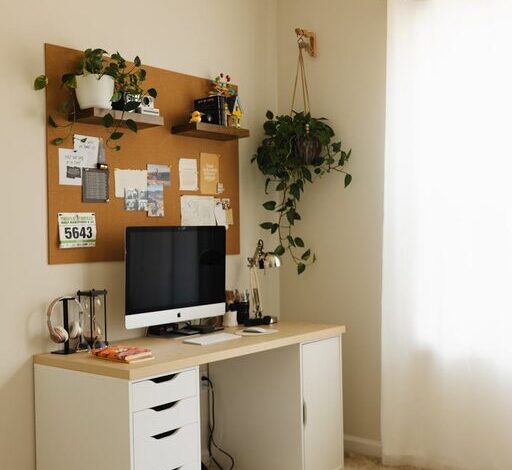
Keep your desk organized and clutter-free. Limit items on your desk to essentials like your computer, notebook, and a few tools you regularly use.
Organize Your Tools and Supplies
Use Storage Solutions
Drawers, shelves, and organizers help keep office supplies neat and within reach. This prevents clutter from building up and distracting you during work.
Digital Organization
Keep your digital workspace tidy. Use folders, bookmarks, and productivity apps to keep your files and tasks in order, avoiding time wasted searching for documents.
Minimize Distractions
Manage Noise
If your home is noisy, consider noise-cancelling headphones or ambient music to block out distractions. White noise machines can help create a consistent background sound.
Set Boundaries
Communicate your work hours to family or housemates to minimize interruptions. Use visual cues such as closing a door or wearing headphones to signal you’re in work mode.
Improve Lighting
Combine Natural and Artificial Light
While natural light is ideal, supplement it with adjustable desk lamps or overhead lighting to avoid eye strain during late hours.
Choose Warm Lighting
Soft, warm light promotes a comfortable atmosphere and reduces harsh glare on screens.
Personalize Your Space
Add Plants or Artwork
Decorative elements like plants can improve air quality and add life to your workspace. Artwork or motivational quotes make the area more inviting.
Create a Comfortable Atmosphere
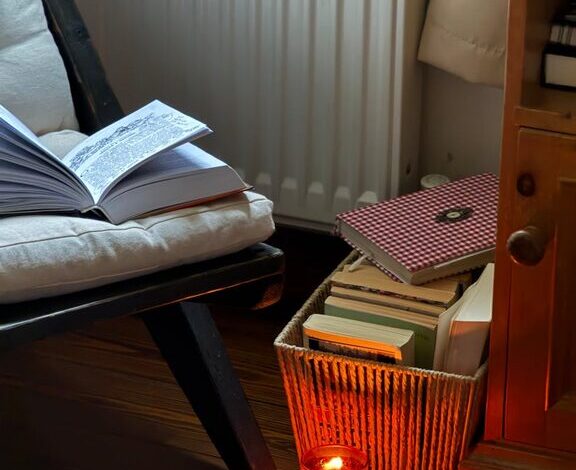
Add cushions or a cozy blanket for comfort during breaks. Pleasant surroundings contribute to better mood and productivity.
Establish a Routine
Set Regular Work Hours
Stick to consistent starting and ending times to create structure. This helps your mind associate the workspace with productivity.
Take Scheduled Breaks
Use techniques like the Pomodoro method—working in focused intervals with short breaks—to maintain concentration and avoid burnout.
Keep Technology in Check
Use Reliable Equipment
Ensure your computer, internet, and other devices are dependable and up to date. Technical issues can interrupt your workflow and cause frustration.
Limit Personal Device Use
Avoid unnecessary phone or social media use during work hours by turning off notifications or using apps that block distractions.
Maintain Cleanliness
Daily Tidying
Spend a few minutes at the end of each day organizing your desk and workspace. A clean environment promotes a clear mind.
Deep Clean Weekly
Regularly dust, vacuum, and disinfect your area to keep it fresh and healthy.
—
Setting up a productive home workspace doesn’t have to be complicated. With thoughtful planning and small adjustments, you can create an environment that enhances focus and efficiency. Remember, the key is to tailor your space to your needs and maintain good work habits. Happy working!